
C4D Colmap Converter

Michael Rubloff

Michael Rubloff

Email
Copy Link
Twitter
Linkedin
Reddit
Whatsapp
COLMAP Bridge C4D

Gaussian splatting has quickly expanded into some of the most widely used industry software. However, Cinema 4D hasn’t received many extensions in this space, but that changes with COLMAP Bridge for Cinema 4D, developed by Léo Mallet.

COLMAP Bridge creates a direct export path from Cinema 4D scenes into the COLMAP format by emitting the familiar cameras.txt, images.txt, and points3D.txt files directly from scene data. In practice, this means artists can bypass SfM entirely and move straight into Gaussian splatting or NeRF training with mathematically exact camera poses and geometry. For synthetic scenes in particular, this replaces probabilistic reconstruction with ground truth.

There has been the equivalent within Blender, from tools like Splatman.
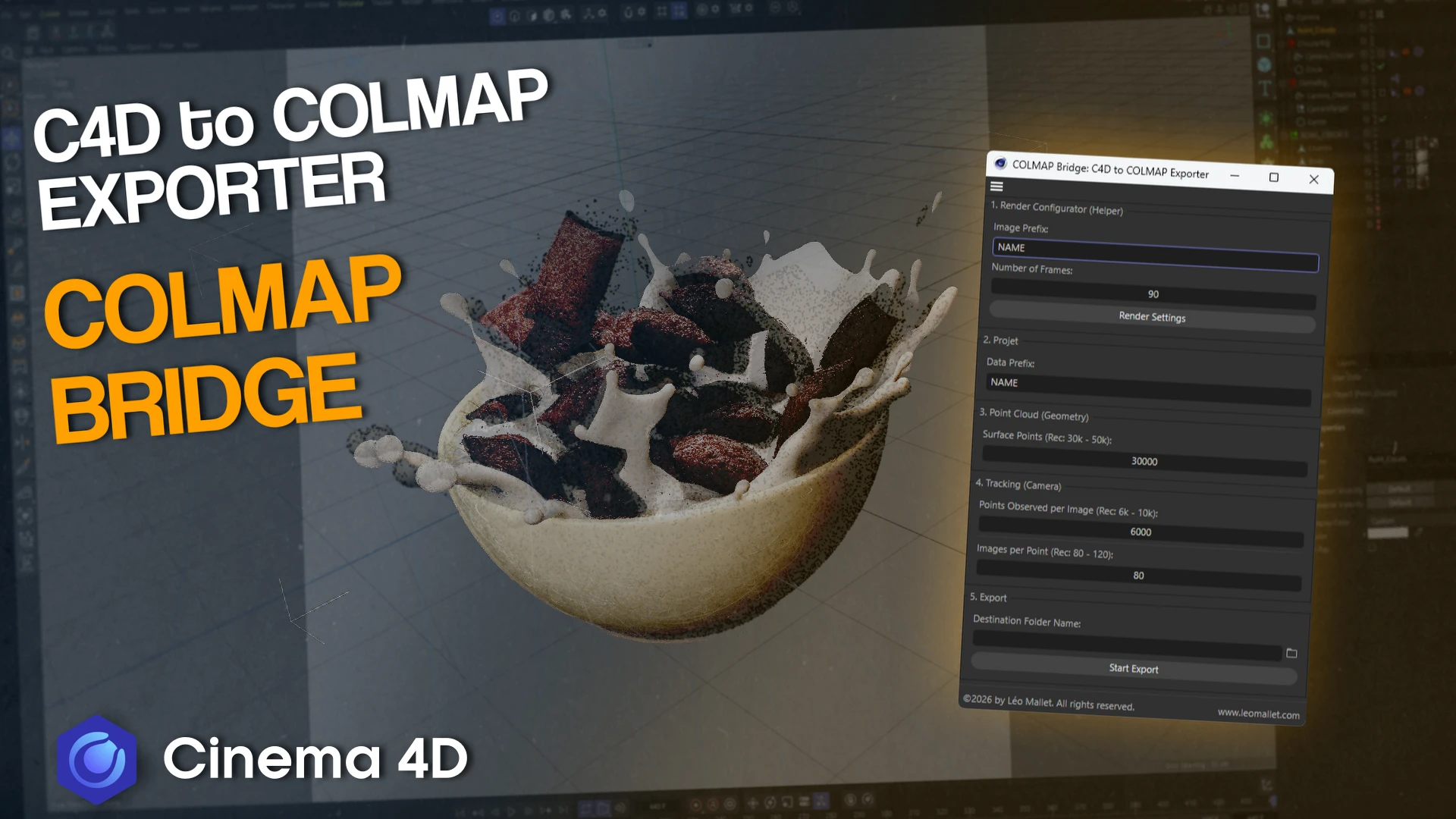
Users select cameras and polygon objects, define a naming prefix and frame range, and the plugin configures render settings automatically to produce image sequences that COLMAP compatible training pipelines like Brush and Lichtfeld Studio can immediately recognize. Point clouds are generated directly from mesh surfaces, with adjustable density and filtering controls to balance reconstruction stability against file size and performance. A built-in viewer inside Cinema 4D lets you check the generated points before export.

By exporting known camera transforms and geometry directly, the plugin removes those failure modes entirely. Scale conversion is handled automatically, reprojection precision is configurable, and multi-camera, multi object scenes are supported without extra ceremony.

Recently, I’ve been observing more people and studios across the entertainment and gaming industries converting traditional assets into splats. Especially with synthetic scenes, the exact location parameters are intimately known, making it possible to achieve exact replications of the original environments, but with smaller file sizes and significantly faster rendering rates.

With skipping the SfM step, you can begin training immediately. Additionally, alignment issues disappear because nothing is inferred. The exported data is compatible with all local 3DGS tooling, including Postshot, Lichtfeld Studio, Brush, and Nerfstudio. Mallet has shared example outputs ranging from stylized product shots to clean synthetic food renders and they honestly look amazing.

COLMAP Bridge is available for Cinema 4D R25 and newer under a commercial license. While it will not replace capture based pipelines for real world environments, it points to an increasingly important discussion where 3DGS is treated as a rendering and representation layer.

Pick up COLMAP Bridge here.

Featured

Recents

Splatlight Gives Gaussian Splats Self-Shadowing Under Scene Lights in Blender

Splatlight brings Gaussian splats into Blender as scene objects that self-shadow from their own opacity, with a free relighter and a $35 Pro tier for rigging.

Michael Rubloff

Aug 10, 2026

Splatlight Gives Gaussian Splats Self-Shadowing Under Scene Lights in Blender

Splatlight brings Gaussian splats into Blender as scene objects that self-shadow from their own opacity, with a free relighter and a $35 Pro tier for rigging.

Michael Rubloff

NouerA's ".exe" Uses 4D Gaussian Splatting — With 21 Cameras in Seoul

I speak to Evercoast CEO, Ben Nunez, about the production.

Michael Rubloff

Aug 10, 2026

NouerA's ".exe" Uses 4D Gaussian Splatting — With 21 Cameras in Seoul

I speak to Evercoast CEO, Ben Nunez, about the production.

Michael Rubloff

Captures Studio Releases Multi Splat for Aligning, Comparing and Viewing 3DGS

Captures Studio's Multi Splat aligns Gaussian splat captures on control points, compares them across a draggable seam, and renders the set as a 4D timelapse.

Michael Rubloff

Aug 10, 2026

Captures Studio Releases Multi Splat for Aligning, Comparing and Viewing 3DGS

Captures Studio's Multi Splat aligns Gaussian splat captures on control points, compares them across a draggable seam, and renders the set as a 4D timelapse.

Michael Rubloff

Esri Adds Georeferenced Gaussian Splat Layers to the ArcGIS Maps SDK for Unreal Engine at 2.4

Esri ArcGIS Maps SDK for Unreal Engine 2.4.0 adds a georeferenced Gaussian splat layer type with C++ and Blueprint APIs, on desktop only, with opacity locked.

Michael Rubloff

Aug 10, 2026

Esri Adds Georeferenced Gaussian Splat Layers to the ArcGIS Maps SDK for Unreal Engine at 2.4

Esri ArcGIS Maps SDK for Unreal Engine 2.4.0 adds a georeferenced Gaussian splat layer type with C++ and Blueprint APIs, on desktop only, with opacity locked.

Michael Rubloff

Michael Rubloff

Written by Michael Rubloff

Michael is the Founder and Managing Editor of Radiancefields.com

Email
Copy Link
Twitter
Linkedin
Reddit
Whatsapp

More from Michael Rubloff

More from Michael Rubloff

Splatlight Gives Gaussian Splats Self-Shadowing Under Scene Lights in Blender

Splatlight brings Gaussian splats into Blender as scene objects that self-shadow from their own opacity, with a free relighter and a $35 Pro tier for rigging.

Michael Rubloff

Aug 10, 2026

Splatlight

Splatlight Gives Gaussian Splats Self-Shadowing Under Scene Lights in Blender

Michael Rubloff

Aug 10, 2026

Splatlight

Splatlight Gives Gaussian Splats Self-Shadowing Under Scene Lights in Blender

Splatlight brings Gaussian splats into Blender as scene objects that self-shadow from their own opacity, with a free relighter and a $35 Pro tier for rigging.

Michael Rubloff

Aug 10, 2026

Splatlight

NouerA's ".exe" Uses 4D Gaussian Splatting — With 21 Cameras in Seoul

I speak to Evercoast CEO, Ben Nunez, about the production.

Michael Rubloff

Aug 10, 2026

Nouera .exe gaussian splatting

NouerA's ".exe" Uses 4D Gaussian Splatting — With 21 Cameras in Seoul

Michael Rubloff

Aug 10, 2026

Nouera .exe gaussian splatting

NouerA's ".exe" Uses 4D Gaussian Splatting — With 21 Cameras in Seoul

I speak to Evercoast CEO, Ben Nunez, about the production.

Michael Rubloff

Aug 10, 2026

Nouera .exe gaussian splatting

Captures Studio Releases Multi Splat for Aligning, Comparing and Viewing 3DGS

Captures Studio's Multi Splat aligns Gaussian splat captures on control points, compares them across a draggable seam, and renders the set as a 4D timelapse.

Michael Rubloff

Aug 10, 2026

Captures Studio

Captures Studio Releases Multi Splat for Aligning, Comparing and Viewing 3DGS

Michael Rubloff

Aug 10, 2026

Captures Studio

Captures Studio Releases Multi Splat for Aligning, Comparing and Viewing 3DGS

Captures Studio's Multi Splat aligns Gaussian splat captures on control points, compares them across a draggable seam, and renders the set as a 4D timelapse.

Michael Rubloff

Aug 10, 2026

Captures Studio