
BitbyBit Updates Shopify Plugin

BitbyBit is introducing their Viewer, making it even easier to interact with 3DGS on Shopify.

BitbyBit is introducing their Viewer, making it even easier to interact with 3DGS on Shopify.

Michael Rubloff

Michael Rubloff

Michael is the Founder and Managing Editor of Radiancefields.com

BitbyBit

Several months ago, BitbyBit made waves in the world of 3D modeling by integrating Gaussian Splatting (3DGS) into their platform. Now, the Lithuanian company is back with a significant update that lowers the barrier to entry. These latest enhancements make it easier than ever for users to showcase and customize 3D assets, particularly for e-commerce and design workflows.

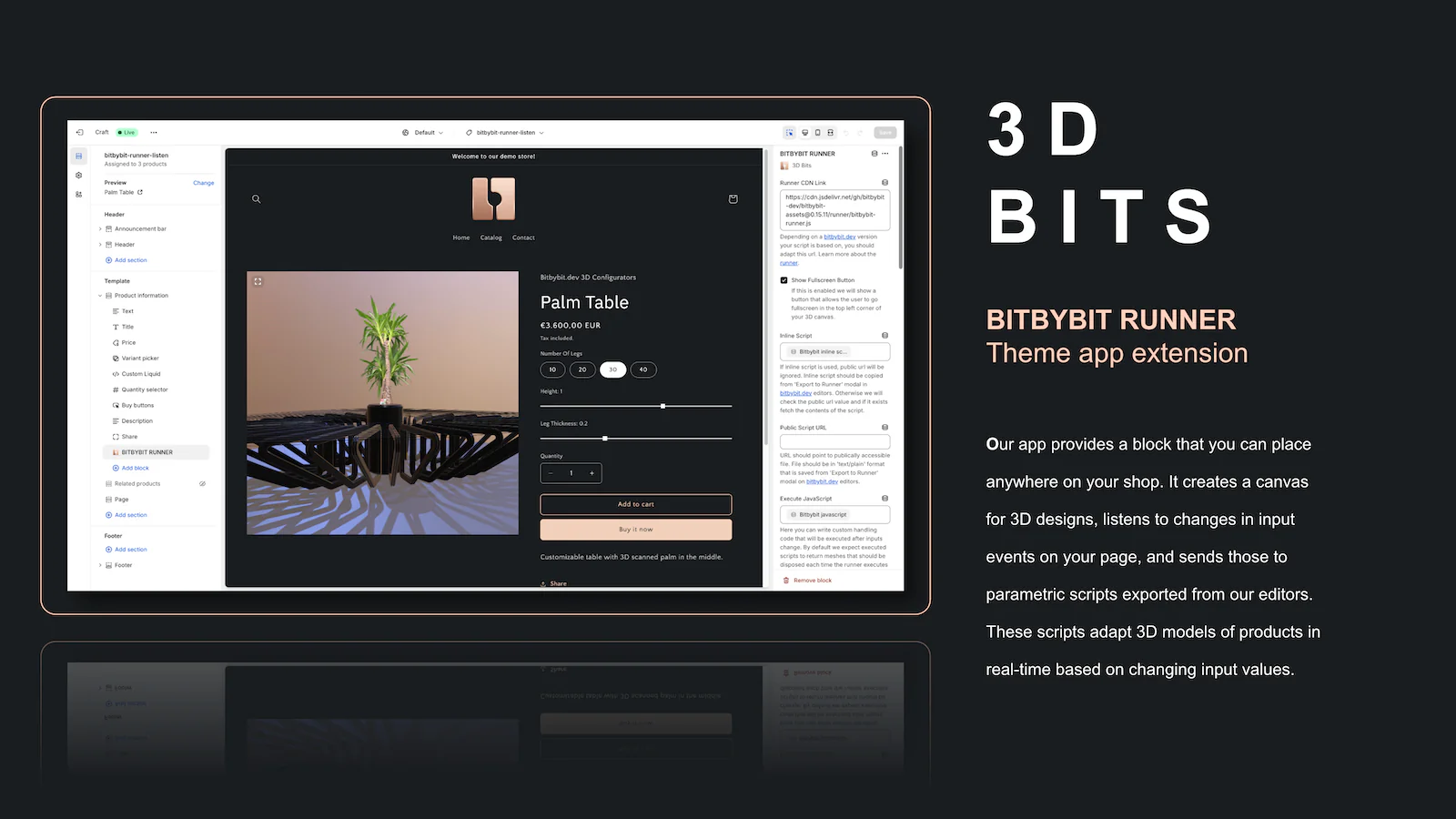
BitbyBit’s newest addition, the BITBYBIT VIEWER theme app extension block, simplifies the process of displaying static 3DGS captures on Shopify product pages. Previously, users needed to create scripts within the bitbybit.dev platform and follow multiple steps to integrate their models. Now, with the VIEWER block, users can simply upload their 3D models to Shopify’s Content section, copy their URLs, and use them with the Viewer. Supported formats include splat and ply ensuring broad compatibility for various Gaussian Splatting file formats. Customizable settings such as background color and scene details allow users to seamlessly match their Shopify store’s aesthetic without additional effort.

For those seeking advanced customization, BitbyBit now supports Scene Configuration in JSON format. This feature provides powerful options for adjusting model rotation, position, scale, and even camera settings, lighting, and skyboxes. By offering such flexibility, the platform enables users to create intricate and visually striking 3D setups that elevate the customer experience. Whether you need to showcase multiple files or fine-tune your scene’s dynamics, the JSON configuration makes it possible to achieve the desired look and functionality with precision.

To complement these updates, BitbyBit has also introduced the BITBYBIT PREVIEW theme app extension block. Designed for experienced users familiar with the bitbybit.dev ecosystem, this block allows public projects to be embedded directly into Shopify product pages via a single metafield. With the PREVIEW block, users can display interactive elements, physics-driven scenes, or other complex setups created in bitbybit.dev. While these scenes don’t respond to Shopify UI changes like variant inputs, they provide an exceptional way to showcase dynamic and engaging 3D content.

These updates not only simplify workflows but also expand the creative potential for BitbyBit users. Architects and designers can integrate 3DGS captures into CAD workflows with ease, while e-commerce entrepreneurs can elevate their product pages with stunning 3D models. Game developers and simulation enthusiasts, too, can take advantage of the platform’s physics and rendering capabilities to create interactive and visually rich environments.

BitbyBit’s commitment to innovation continues to redefine the possibilities of introducing Radiance Field methods, such as Gaussian Splatting onto the web. Explore the interactive demo with the password 3d-bits-demo to see the latest features in action, or visit their website for more details. 

Featured

Recents

Platforms

Viggle Launches JST 2, a World Model That Builds 3D Characters and Scenes From Gaussian Splats

Viggle JST 2 builds 3D characters, motion and scenes from persistent Gaussian splats, viewable from any angle, and runs in PINOC with Agent Mode and MCP access.

Michael Rubloff

Oct 19, 2026

Platforms

Viggle Launches JST 2, a World Model That Builds 3D Characters and Scenes From Gaussian Splats

Viggle JST 2 builds 3D characters, motion and scenes from persistent Gaussian splats, viewable from any angle, and runs in PINOC with Agent Mode and MCP access.

Michael Rubloff

Platforms

LichtFeld Studio v0.5.4.1 Drags Splats Into Blender and Trains Inside a Live Crop Box

LichtFeld Studio v0.5.4.1 drags Gaussian splats into folders or Blender as PLY or SPZ, trains a live crop box with fewer floaters, and trains from meshes.

Michael Rubloff

Oct 19, 2026

Platforms

LichtFeld Studio v0.5.4.1 Drags Splats Into Blender and Trains Inside a Live Crop Box

LichtFeld Studio v0.5.4.1 drags Gaussian splats into folders or Blender as PLY or SPZ, trains a live crop box with fewer floaters, and trains from meshes.

Michael Rubloff

Platforms

Room Scan Exporter v0.3 Turns Meta Quest 3 Room Scans Into Gaussian Splats

Room Scan Exporter v0.3 for Meta Quest 3 and 3S trains Gaussian splats on a Windows PC and streams them back to the headset at life size or as a tabletop model.

Michael Rubloff

Oct 18, 2026

Platforms

Room Scan Exporter v0.3 Turns Meta Quest 3 Room Scans Into Gaussian Splats

Room Scan Exporter v0.3 for Meta Quest 3 and 3S trains Gaussian splats on a Windows PC and streams them back to the headset at life size or as a tabletop model.

Michael Rubloff

News

Eclipse Automation Opens RealitySync on iPhone, iPad, and Apple Vision Pro

Eclipse RealitySync opens as a free public preview on iPhone, iPad, and Apple Vision Pro with a customer pilot, and Eclipse says it uses Gaussian splatting.

Michael Rubloff

Oct 17, 2026

News

Eclipse Automation Opens RealitySync on iPhone, iPad, and Apple Vision Pro

Eclipse RealitySync opens as a free public preview on iPhone, iPad, and Apple Vision Pro with a customer pilot, and Eclipse says it uses Gaussian splatting.

Michael Rubloff

Trending Articles
  1. TRENDING
    Loading...
  2. TRENDING
    Loading...
  3. TRENDING
    Loading...
Michael Rubloff

Written by Michael Rubloff

Michael is the Founder and Managing Editor of Radiancefields.com

More from Michael Rubloff

More from Michael Rubloff

Platforms

Viggle Launches JST 2, a World Model That Builds 3D Characters and Scenes From Gaussian Splats

Viggle JST 2 builds 3D characters, motion and scenes from persistent Gaussian splats, viewable from any angle, and runs in PINOC with Agent Mode and MCP access.

Michael Rubloff

Oct 19, 2026

Viggle JST-2

Platforms

Viggle Launches JST 2, a World Model That Builds 3D Characters and Scenes From Gaussian Splats

Michael Rubloff

Oct 19, 2026

Viggle JST-2

Platforms

Viggle Launches JST 2, a World Model That Builds 3D Characters and Scenes From Gaussian Splats

Viggle JST 2 builds 3D characters, motion and scenes from persistent Gaussian splats, viewable from any angle, and runs in PINOC with Agent Mode and MCP access.

Michael Rubloff

Oct 19, 2026

Viggle JST-2

Platforms

LichtFeld Studio v0.5.4.1 Drags Splats Into Blender and Trains Inside a Live Crop Box

LichtFeld Studio v0.5.4.1 drags Gaussian splats into folders or Blender as PLY or SPZ, trains a live crop box with fewer floaters, and trains from meshes.

Michael Rubloff

Oct 19, 2026

LichtFeld Studio

Platforms

LichtFeld Studio v0.5.4.1 Drags Splats Into Blender and Trains Inside a Live Crop Box

Michael Rubloff

Oct 19, 2026

LichtFeld Studio

Platforms

LichtFeld Studio v0.5.4.1 Drags Splats Into Blender and Trains Inside a Live Crop Box

LichtFeld Studio v0.5.4.1 drags Gaussian splats into folders or Blender as PLY or SPZ, trains a live crop box with fewer floaters, and trains from meshes.

Michael Rubloff

Oct 19, 2026

LichtFeld Studio

Platforms

Room Scan Exporter v0.3 Turns Meta Quest 3 Room Scans Into Gaussian Splats

Room Scan Exporter v0.3 for Meta Quest 3 and 3S trains Gaussian splats on a Windows PC and streams them back to the headset at life size or as a tabletop model.

Michael Rubloff

Oct 18, 2026

Room Scan Exporter

Platforms

Room Scan Exporter v0.3 Turns Meta Quest 3 Room Scans Into Gaussian Splats

Michael Rubloff

Oct 18, 2026

Room Scan Exporter

Platforms

Room Scan Exporter v0.3 Turns Meta Quest 3 Room Scans Into Gaussian Splats

Room Scan Exporter v0.3 for Meta Quest 3 and 3S trains Gaussian splats on a Windows PC and streams them back to the headset at life size or as a tabletop model.

Michael Rubloff

Oct 18, 2026

Room Scan Exporter

New to Gaussian Splatting? Start here

Radiance fields, explained from the ground up: what a Gaussian splat is, how to capture one, and which tools and gear to start with.

Newsletter

Keep up with the field.

New research, tools and captures from the Radiance Fields newsroom, in your inbox. Free, no spam.