
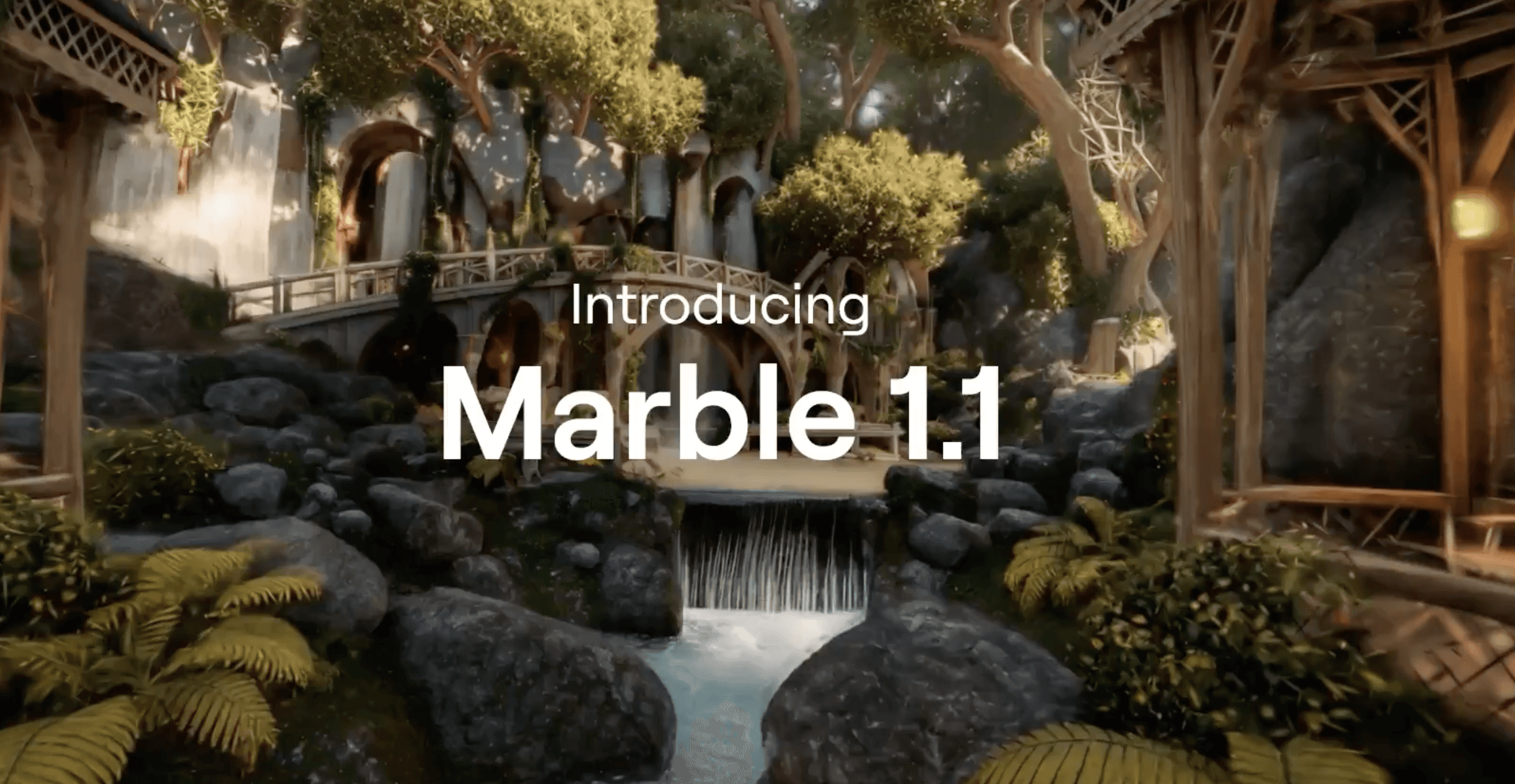
World Labs Releases Marble 1.1 and Marble 1.1 Plus

Two nice new updates are here from World Labs.

Two nice new updates are here from World Labs.

Michael Rubloff

Michael Rubloff

Michael is the Founder and Managing Editor of Radiancefields.com

World Labs Marble

World Labs continues its steady Marble updates. Since formally launching the generative world model last November, the company has shipped export refinements, introduced an API, closed a billion-dollar fundraising round, and previewed Spark 2.0, all in the span of a few months. Today’s release adds two new models, Marble 1.1 and Marble 1.1 Plus, each representing a distinct improvement to how the platform generates 3D worlds.

Marble 1.1 is positioned as the new default. World Labs recommends it as the starting point for new users, replacing the original model (now labeled Marble 1.0) with what the company describes as improved generation quality at the same fixed cost of 1,500 credits per world. The upgrade brings better output fidelity without changing the pricing or workflow and should be a drop in improvement.

The more interesting addition is Marble 1.1 Plus. Where previous Marble models generated worlds within a fixed spatial footprint, 1.1 Plus automatically expands its coverage of 3D space to produce larger worlds when the scene allows for it. The pricing reflects this; a 1,500-credit base cost plus 300 credits for each additional “dynamic cube” the model adds during generation. It is a variable cost structure, which is new for Marble.

When the platform launched, the ability to generate explorable 3D environments from text prompts was the headline. But practical constraints around world size and editability were always part of the tradeoff. With 1.1 Plus, World Labs is pushing against the spatial ceiling with larger, more expansive worlds generated in a single pass, without requiring users to manually expand boundaries.

Alongside the new models, the update brings several quality of life improvements. A new model selector now appears in the omnibox and other Create surfaces, making it easy to switch between Marble 1.0, 1.0 Draft, 1.1, and 1.1 Plus. The assets page now shows which model was used to generate each world or draft. Advanced editing has been surfaced more prominently under a new “Create & edit” option in the omnibox, and the assets page itself has received visual, layout, and performance improvements.

On the bug fix side, World Labs has resolved an issue where multiple projects open across different browser tabs would conflict with each other and fixed a visibility cascading issue in Studio where toggling a parent node’s visibility did not properly propagate to child nodes.

The original Marble 1.0 and Marble 1.0 Draft models remain available, so existing workflows are unaffected.

Learn more about the latest Marble update on the World Labs documentation site.

Thumbnail for Gaussian Splatting News episode 11

10:32

Watch · New every Monday

SpAItial Echo-3 & Apple Event 4D Splat Rig | Gaussian Splatting News

Episode 11 · Nov 2, 2026

Spatial AI launched Echo 3, a world model and iPhone capture app that turns a few minutes of video into a metric-scale Gaussian splat, mesh and point cloud.

Featured

Recents

Platforms

Tijerín Art Studio Rebuilds Quick GS Editor on Spark

Quick GS Editor is rebuilt on Spark, and a new Windows Pro edition adds local TripoSplat image-to-splat generation, an HDRI Reflect Engine and fluid simulation.

Michael Rubloff

Nov 9, 2026

Platforms

Tijerín Art Studio Rebuilds Quick GS Editor on Spark

Quick GS Editor is rebuilt on Spark, and a new Windows Pro edition adds local TripoSplat image-to-splat generation, an HDRI Reflect Engine and fluid simulation.

Michael Rubloff

Platforms

GSRhino Brings Gaussian Splats to Rhino 8 on Mac

GSRhino 0.1.0-beta.5 renders Gaussian splats in a Rhino 8 display mode on macOS, reads PLY, SPLAT and SPZ, and imports and exports OpenUSD splat scenes.

Michael Rubloff

Nov 8, 2026

Platforms

GSRhino Brings Gaussian Splats to Rhino 8 on Mac

GSRhino 0.1.0-beta.5 renders Gaussian splats in a Rhino 8 display mode on macOS, reads PLY, SPLAT and SPZ, and imports and exports OpenUSD splat scenes.

Michael Rubloff

Platforms

360 MCConverter V1.7.0 Reads Metashape Dense Point Clouds

360 MCConverter V1.7.0 can now read the dense point cloud from Agisoft Metashape, a change kotohibi ties to more stable 3DGS training in its paid Windows tool.

Michael Rubloff

Nov 8, 2026

Platforms

360 MCConverter V1.7.0 Reads Metashape Dense Point Clouds

360 MCConverter V1.7.0 can now read the dense point cloud from Agisoft Metashape, a change kotohibi ties to more stable 3DGS training in its paid Windows tool.

Michael Rubloff

Guest Article

SpatialView Makes Gaussian Splats Queryable by AI Agents

SpatialView takes virtual photographs of a Gaussian Splat and indexes them in a scene matrix that AI agents can search in plain language.

Thomas Charlton

Nov 7, 2026

Guest Article

SpatialView Makes Gaussian Splats Queryable by AI Agents

SpatialView takes virtual photographs of a Gaussian Splat and indexes them in a scene matrix that AI agents can search in plain language.

Thomas Charlton

Trending Articles
  1. TRENDING
    Loading...
  2. TRENDING
    Loading...
  3. TRENDING
    Loading...
Michael Rubloff

Written by Michael Rubloff

Michael is the Founder and Managing Editor of Radiancefields.com

More from Michael Rubloff

More from Michael Rubloff

Platforms

Tijerín Art Studio Rebuilds Quick GS Editor on Spark

Quick GS Editor is rebuilt on Spark, and a new Windows Pro edition adds local TripoSplat image-to-splat generation, an HDRI Reflect Engine and fluid simulation.

Michael Rubloff

Nov 9, 2026

Quick GS Editor

Platforms

Tijerín Art Studio Rebuilds Quick GS Editor on Spark

Michael Rubloff

Nov 9, 2026

Quick GS Editor

Platforms

Tijerín Art Studio Rebuilds Quick GS Editor on Spark

Quick GS Editor is rebuilt on Spark, and a new Windows Pro edition adds local TripoSplat image-to-splat generation, an HDRI Reflect Engine and fluid simulation.

Michael Rubloff

Nov 9, 2026

Quick GS Editor

Platforms

GSRhino Brings Gaussian Splats to Rhino 8 on Mac

GSRhino 0.1.0-beta.5 renders Gaussian splats in a Rhino 8 display mode on macOS, reads PLY, SPLAT and SPZ, and imports and exports OpenUSD splat scenes.

Michael Rubloff

Nov 8, 2026

gaussian splatting Rhino

Platforms

GSRhino Brings Gaussian Splats to Rhino 8 on Mac

Michael Rubloff

Nov 8, 2026

gaussian splatting Rhino

Platforms

GSRhino Brings Gaussian Splats to Rhino 8 on Mac

GSRhino 0.1.0-beta.5 renders Gaussian splats in a Rhino 8 display mode on macOS, reads PLY, SPLAT and SPZ, and imports and exports OpenUSD splat scenes.

Michael Rubloff

Nov 8, 2026

gaussian splatting Rhino

Platforms

360 MCConverter V1.7.0 Reads Metashape Dense Point Clouds

360 MCConverter V1.7.0 can now read the dense point cloud from Agisoft Metashape, a change kotohibi ties to more stable 3DGS training in its paid Windows tool.

Michael Rubloff

Nov 8, 2026

360 Converter

Platforms

360 MCConverter V1.7.0 Reads Metashape Dense Point Clouds

Michael Rubloff

Nov 8, 2026

360 Converter

Platforms

360 MCConverter V1.7.0 Reads Metashape Dense Point Clouds

360 MCConverter V1.7.0 can now read the dense point cloud from Agisoft Metashape, a change kotohibi ties to more stable 3DGS training in its paid Windows tool.

Michael Rubloff

Nov 8, 2026

360 Converter

New to Gaussian Splatting? Start here

Radiance fields, explained from the ground up: what a Gaussian splat is, how to capture one, and which tools and gear to start with.

Newsletter

Keep up with the field.

New research, tools and captures from the Radiance Fields newsroom, in your inbox. Free, no spam.

Gaussian Splatting News on YouTube

The week in radiance fields, every Monday.

Gaussian Splatting News on YouTube

The week in radiance fields, every Monday.

Gaussian Splatting News on YouTube

The week in radiance fields, every Monday.

Gaussian Splatting News on YouTube

The week in radiance fields, every Monday.