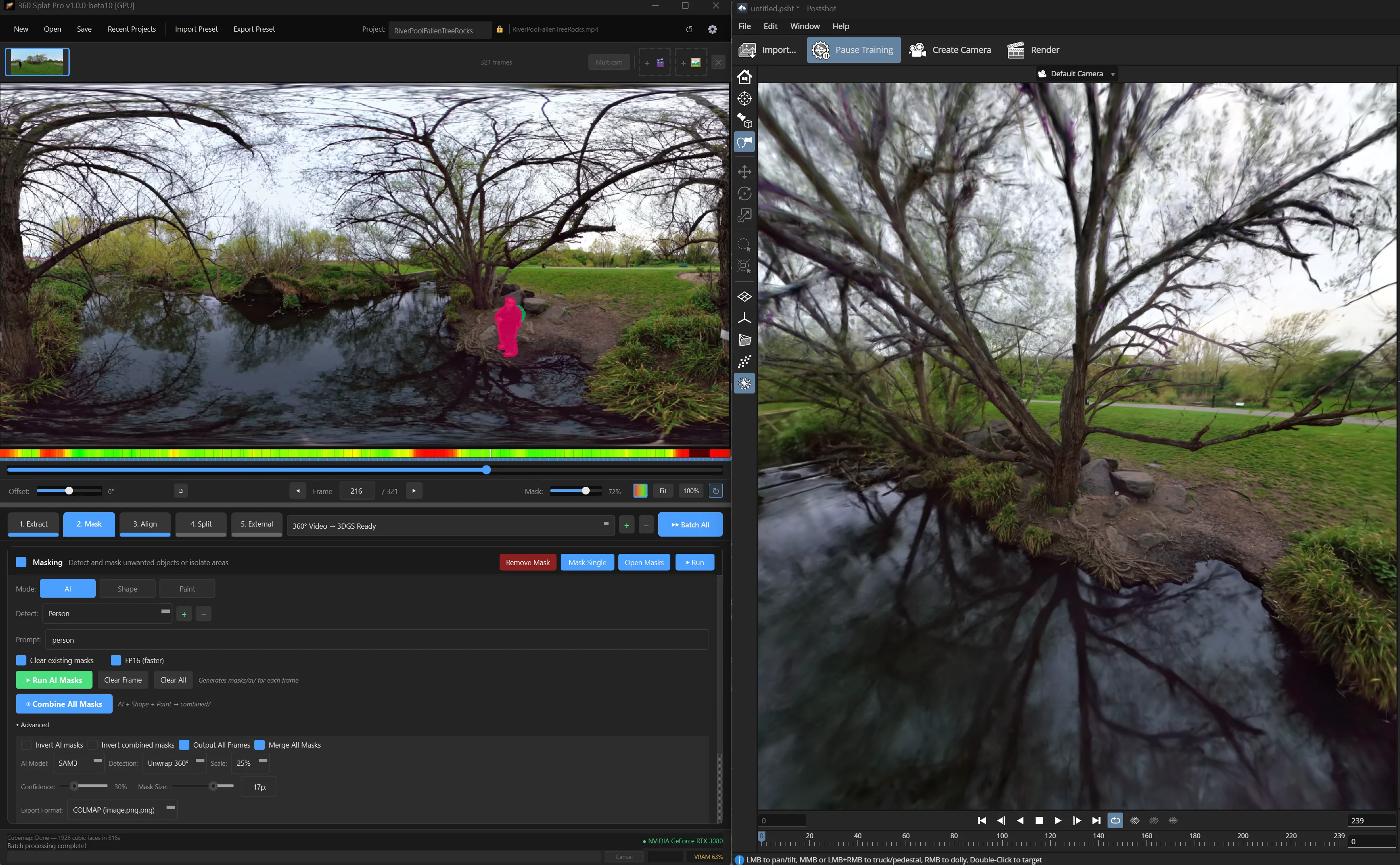
Over the last month, potentially no topic has been hotter in Gaussian Splatting capture than 360 cameras. We have seen many plugins bringing down the barrier to entry for processing. One of them, 360 Splat Pro, has added a couple of quick updates. Versions 1.2.0 and 1.2.1, released in quick succession this week, expand that foundation in three directions: new camera support, a tighter integration with RealityScan for mesh generation, and a set of workflow controls.
When we covered 360 Splat Pro at launch last month, Ronski had already built something impressively complete, a single Windows app that takes raw 360° footage from an Insta360 X5 or DJI Osmo 360, handles masking and sharp frame filtering in one place, and routes everything through COLMAP alignment to a trained Gaussian Splat.
The most significant addition in 1.2.0 is the RealityScan integration. After a Gaussian Splat is trained, users can now click a single button to send the scene through RealityScan’s meshing pipeline, which produces a textured PLY mesh in two levels of detail: a 10,000-polygon high detail version and a 5,000-polygon simplified version. Having a one click path to a textured mesh alongside the splat makes 360 Splat Pro considerably more useful for workflows that need actual 3D geometry.
Qoocam users now have a fully supported path through the same pipeline that Insta360 and DJI users have had since launch. The Qoocam line uses dual fisheye RAW capture, which requires a different preprocessing path than equirectangular cameras like the Insta360 X5. Version 1.2.0 added initial support, while 1.2.1 tightened it considerably, specifically hardening the dual fisheye RAW pipeline to handle edge cases in auto exposure persistence and fix several bugs.
The frame range masking lets users specify start and end frames for the masking stage, which means you can isolate a clean segment of footage, for instance, if you wanted to use a 360 camera for portrait capture, but still remove people outside the intended subjects.
Two infrastructure additions round out the GPU workflow improvements. A GPU picker in Settings → Compute lets users explicitly select which GPU drives the pipeline, for multi-GPU workstations or laptops where the display GPU and compute GPU may differ. RTX 50-series (Blackwell) cards are now officially supported, with a fallback mode for cases where CUDA kernel compatibility issues arise.
On the bug fix side, 1.2.1 addresses a 16-bit PNG issue that was causing high bit depth frames to process incorrectly, and reduces Windows Defender false positive detections. The update also bumps the minimum COLMAP requirement to version 4.x, so users on older COLMAP installs will need to update before the new pipeline features work correctly.
Ronski has been shipping updates at an impressive pace since the April 27 launch. The app is available on Gumroad for users who want to follow along.