
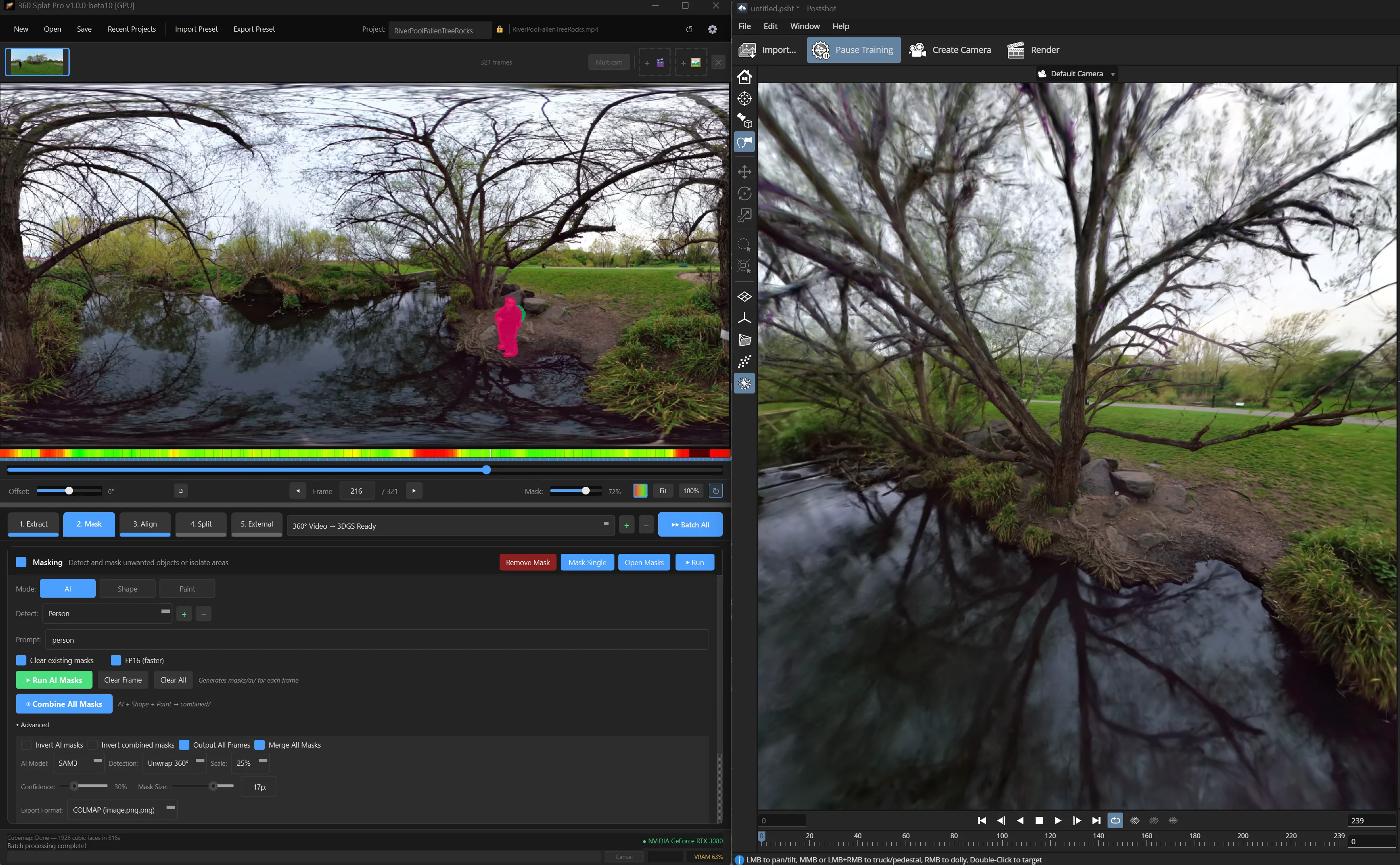
Few pipelines have received as much attention recently as 360 cameras. They are a fast way to capture an environment, but few splatting tools can use equirectangular footage directly. The path from raw capture to a trainable dataset usually involves frame extraction, sharpness culling, masking the operator out of every frame, alignment, and cubemap reprojection, usually spread across three or four separate tools.
Ronski’s 360 Splat Pro is a Windows app that consolidates that entire prep pipeline into a single drag and drop interface, prior to reconstruction. The newly released version is a complete rebuild of the earlier 360 Splat Prep tool (which is still available at its original $20 price), with a updated feature set. It is positioned as a $44.99 lifetime license, with all v1.x updates included through 2026 and no subscription.
Masking has moved from SAM2 to SAM3. SAM3 is text prompt driven. For instance typing “person” finds and masks the camera operator across every frame in the sequence. 360 Splat Pro unwraps the equirectangular image to perspective views before running SAM3, then re-applies the resulting masks back to the original projection. Shape masks (fisheye circle, top, bottom, square/circle) and a manual paint brush combine with the AI layer, and inverse masking lets you isolate a subject and train without the background.
Sharp frame filtering is now a two method analysis. The app combines Laplacian variance with gradient based motion blur detection to score every frame, and when a frame falls below the threshold it searches within ±5 frames for a sharper replacement and swaps it into the sequence. A full sharpness report is written to the project folder.
SphereSfM ships inside the installer alongside COLMAP, with no separate setup. The aligner works on the latlong image first and then splits to cubemap faces, so the cubemap output is registered to the same solve. A built in sparse point cloud viewer lets you sanity check the alignment. For users who want to route through RealityScan, Metashape, or vanilla COLMAP instead, the external workflow builder handles it.
Insta360 X5 .INSV files and DJI Osmo 360 .OSV files are detected automatically, dual track raw is split into front and back lens folders and routed through a fisheye COLMAP workflow. For Osmo 360 D-Log M footage (files with the _D suffix), the DJI D-Log M to Rec.709 LUT is applied during extraction by default, which can be turned off in Advanced if you want to grade in log downstream. This removes the Insta360 Studio / DJI conversion step.
Python scripts can be called directly from a bundled scripts folder and RealityScan XML preset files are supported. For multi camera rigs, toggling Multi-cam mode processes every video into a shared project folder with separate masking per camera and a single combined alignment.
The installer includes SphereSfM, SAM3, the Python runtime, and processing libraries. The only required external install is FFmpeg. The minimum spec is an NVIDIA 6GB card on Windows 10 with a CUDA 12.1+ driver (for AI masking). Recommended is a 3080-class card or better with 32GB system RAM.
For 360 Splat Pro, it’s $44.99 lifetime purchase, with a $24.99 upgrade path for existing v1.8 owners. v1.8 (the older “360 Splat Prep” tool) remains available at its original $20 price for users who don’t need the new feature set. The license covers personal and commercial use.
The product page is on Gumroad.