
The gap between reality capture and BIM has always been a workflow problem as much as a technical one. Bring a scan into a building model and you typically end up managing two separate viewports, two coordinate systems, and two sets of tools. Geometry lives in one place, the captured reality somewhere else.
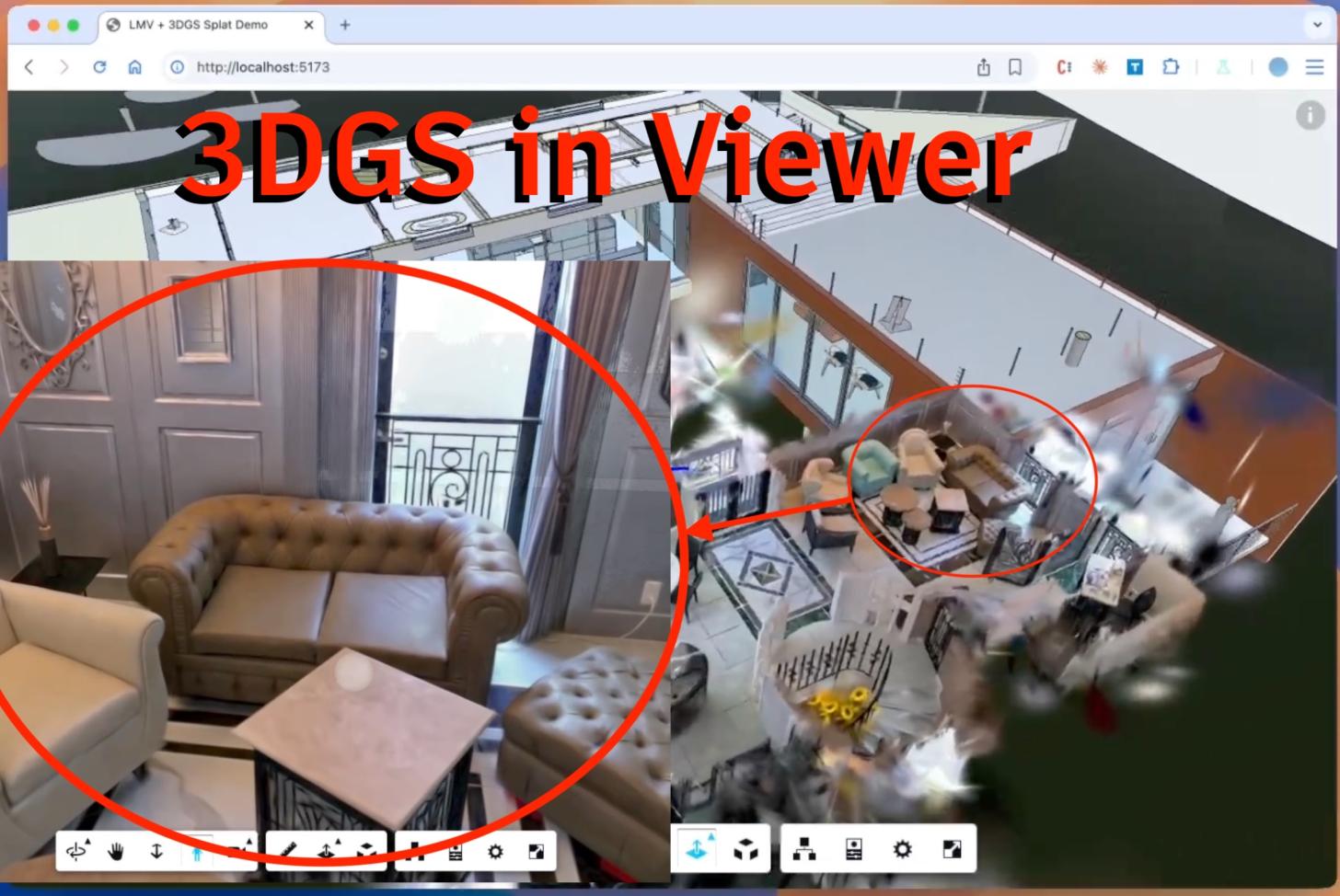
A new open source demo from Autodesk’s Michael Beale drops fully functional 3D Gaussian Splats directly into the APS Viewer, overlaid on Revit geometry, with section planes and camera synchronization intact.
The project, gaussian-splats-lmv on GitHub, uses the XGRIDS LCC format as its point of entry. Each splat is rendered as an instanced quad with a custom ShaderMaterial, its opacity computed from the projected 2D covariance of the 3D Gaussian ellipsoid.
What’s different is where that mesh lives. Instead of a standalone canvas, it’s dropped into LMV’s overlay scene system, viewer.impl.createOverlayScene(‘splats’) + viewer.impl.addOverlay(‘splats’, splatRenderer.mesh), which means the Revit geometry and the splat cloud share the same camera, the same compositing stack, and the same render loop. The splats are rendered as part of it.
Depth sorting gets a dedicated Web Worker. Transparent geometry can’t rely on a Z-buffer, so every camera movement requires a back to front resort of every splat. The implementation uses a 65,536-bucket counting sort, O(n) time, not the O(n log n) you’d get from a comparison sort, and offloads it from the main thread so the viewer stays responsive during the sort.
Autodesk’s section cut tool lets users slice through a Revit model to expose interior structure, and if the splat overlay doesn’t respect those same planes, the illusion breaks immediately. The solution here is that the vertex shader reads the same cut plane uniforms that LMV passes to its native geometry, evaluates the half space equation, and discards splats that fall on the wrong side. When you drag a section plane through a building, the Gaussian capture cuts at exactly the same position as the Revit walls.
The full source is live on GitHub, and the repository includes a sample scan from an XGRIDS provided LCC scene.