Most Gaussian splatting still begins with a capture rig: dozens of photos or a video orbit, then COLMAP, then training. But over the past year a different entry point has matured — single-image models that turn one picture into a 3D representation in seconds. TripoSplat, Apple’s SHARP, and Microsoft’s TRELLIS each take this route, and for anyone who wants a rotatable asset from a single product shot, they’re worth understanding. Here’s how they actually differ, and what one of them produces in practice.
Two distinctions matter more than the demos suggest: object-level vs scene-level output, and licensing.
TripoSplat (VAST-AI) takes a single image and returns an object-level splat. Both its code and model weights are released under the MIT License, and it has native ComfyUI support. The permissive license is the headline — the output is yours to use commercially.
Apple’s SHARP also works from a single image, but targets scene-level output — photorealistic view synthesis of the depicted scene with metric scale, supporting small camera moves around nearby views rather than a fully orbitable object. The work is strong (the paper reports a new state of the art, cutting LPIPS 25-34% and DISTS 21-43% over the prior best). But the weights ship under Apple’s Machine Learning Research Model License: use is limited to non-commercial research, and the terms explicitly exclude “commercial exploitation, product development or use in any commercial product or service.” For asset work, that rules SHARP out.
TRELLIS (Microsoft, with Tsinghua and USTC) is the most flexible of the three: it accepts image or text input and can output splats or a textured mesh. Weights and most of the code are MIT, but it expects roughly 16GB of VRAM and its ComfyUI integration is third-party. It’s less “drop in a photo, get a file” and more a pipeline you run.
So if the goal is shippable object assets from a single photo, licensing alone narrows the field toward TripoSplat.
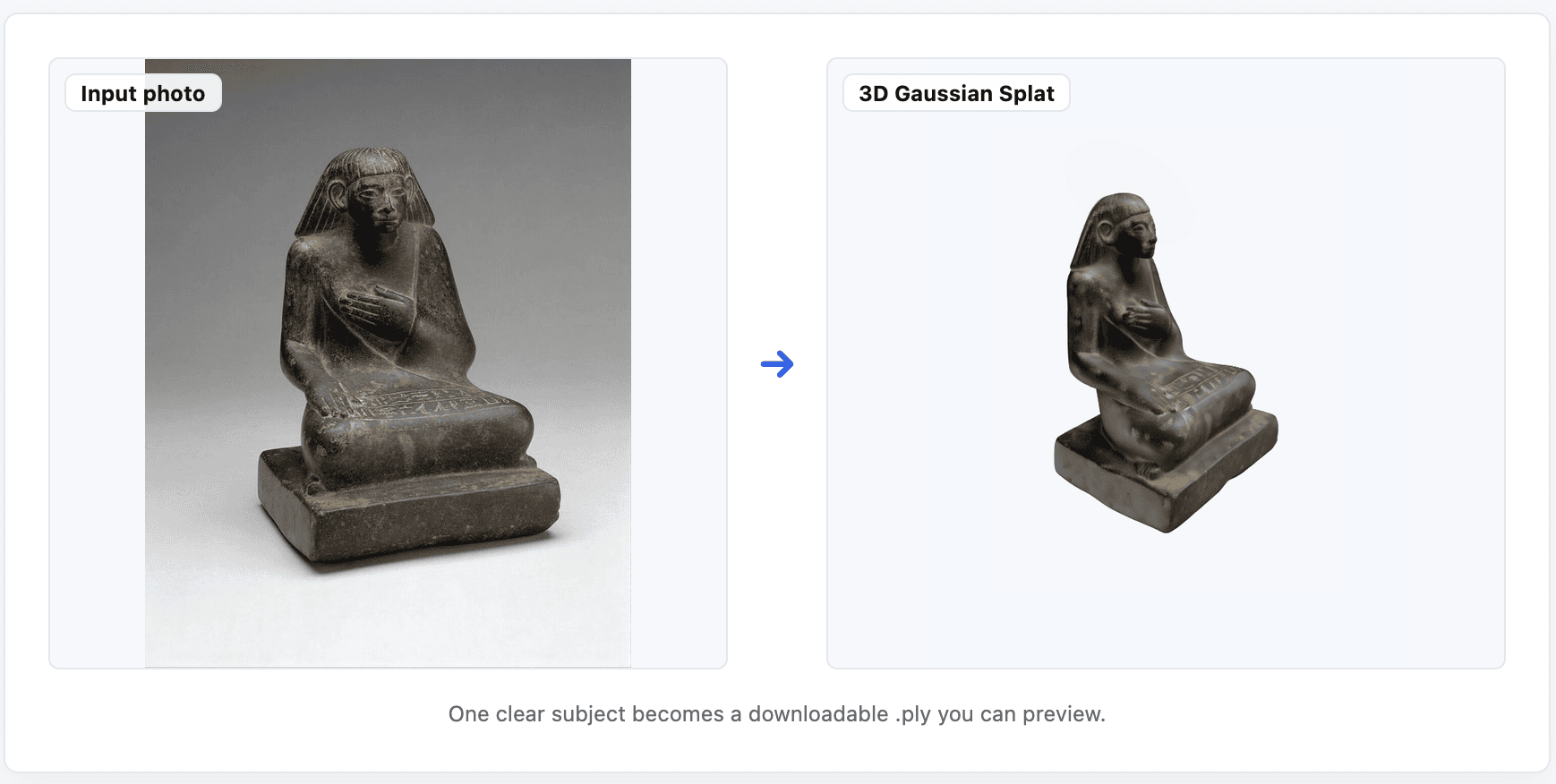
To see where single-image actually lands, I ran a batch through a free hosted instance of TripoSplat. Six inputs: a figurine, a toy car, a watch, and an apple all converted cleanly; a landscape and a painting did not. Every run took roughly 10-20 seconds and returned a fixed ~262,144 gaussians at SH degree 0 — a ~17MB .ply each time.
That output profile tells you the model’s sweet spot:
- It is genuinely object-level. A single, clearly lit subject on a clean background is the happy path. Scenes, reflective surfaces, and transparent objects fall apart.
- Single-image reconstruction has to infer the occluded sides, so the back of an object is consistently the weakest region.
- A three-quarter (~45 degrees) angle helps noticeably — it gives the model two visible faces to reason from, instead of a flat front-on view.
- SH degree 0 means no view-dependent color; expect flat shading rather than the specular response you’d get from a multi-image capture.
None of this replaces multi-image capture on fidelity, and it won’t for fine occluded detail. But that’s not the use case. For “I have one photo and need a rotatable 3D asset in under a minute,” single-image is a real shortcut — and with an MIT-licensed model, the result is actually usable in production.
For anyone who wants to try TripoSplat with zero setup, I run a free browser tool, SplatDrop (https://splatdrop.com), that calls the hosted model and lets you preview and download the .ply — no GPU, no install. It’s an independent project built on TripoSplat, not affiliated with VAST-AI.
The open question is the one all three models are racing on: how good does single-image have to get before it displaces a quick multi-photo capture for asset work? On current evidence, it’s already past “novelty” and into “useful for the right subject” — which is further than it was six months ago.
Single Image Gaussian splatting in 2026 — TripoSplat vs SHARP vs TRELLIS

Seven Fung
Seven Fung is an independent developer and the maker of SplatDrop, a free browser tool that runs single-image Gaussian Splatting on the open-source TripoSplat model. He builds small, no-setup web tools that make new 3D models easy to try.

New to Gaussian Splatting? Start here
Radiance fields, explained from the ground up: what a Gaussian splat is, how to capture one, and which tools and gear to start with.
What is Gaussian Splatting?
Newsletter
Keep up with the field.
New research, tools and captures from the Radiance Fields newsroom, in your inbox. Free, no spam.