YaGS: Yandex Open Sources a 3DGS Plugin for Unreal Engine 5.5–5.7

YaGS is Yandex's open-source Unreal Engine plugin bringing Gaussian splatting into UE5 levels with correct depth compositing so splats and meshes mutually occlude.

YaGS is Yandex's open-source Unreal Engine plugin bringing Gaussian splatting into UE5 levels with correct depth compositing so splats and meshes mutually occlude.

Michael Rubloff

Michael Rubloff

Michael is the Founder and Managing Editor of Radiancefields.com

Miris

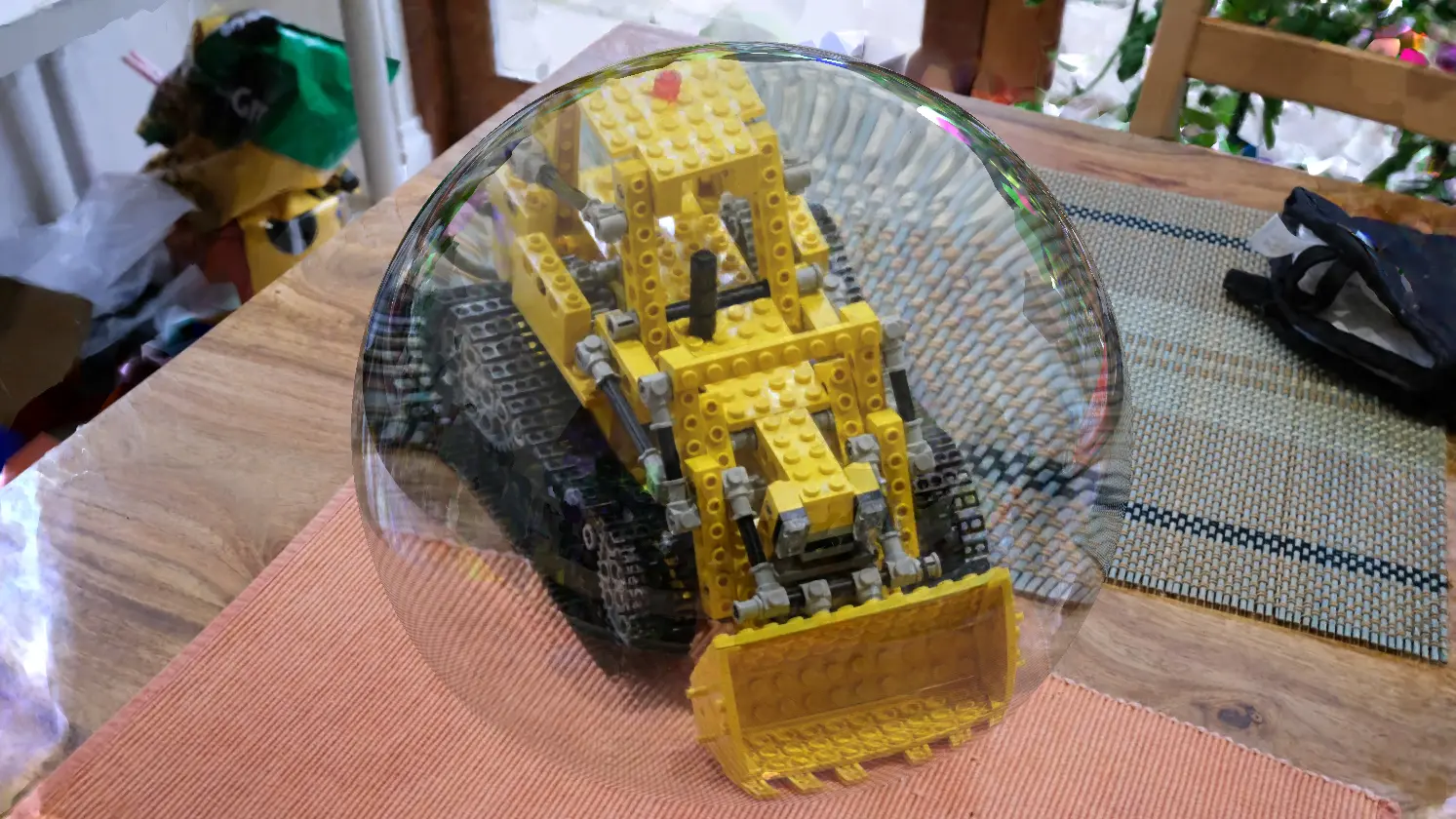
Yandex has open sourced YaGS (“Yet another Gaussian Splatting”), an editor and runtime Unreal Engine plugin whose standout capability is placing 3D gaussian splatting objects into a level alongside polygonal geometry with correct depth handling. Splats and meshes mutually occlude by actual position rather than as a flat image composited over the scene, and standard UE post processing (Depth of Field, Motion Blur, TAA/TSR) works correctly when the plugin’s depth pass is enabled.

The full C++ source is public under the Apache License 2.0, as a complete .uplugin covering both the editor and the runtime. YaGS appears to be a finished, forkable code drop rather than an actively maintained product, usable today, but not under ongoing development, and with no stated roadmap.

Prior Unreal Engine Gaussian splatting plugins have largely composited splats as an overlay or deferred true depth integration and VFX interaction to a roadmap. XVERSE’s free UE plugin, for instance, listed depth compositing and VFX among planned rather than shipped features, while efforts such as GSX Shadows and NanoGS with its GPU radix sort depth ordering pushed on depth integration from other angles. YaGS instead writes splat depth into the scene so mutual occlusion and the engine’s existing post process stack simply function. It supports UE 5.5 through 5.7, runs on Windows via DirectX 12 or Vulkan, and renders splats as billboard quads within the classic scene.

Rendering runs on one of two backends. The default Mesh Shader path requires D3D12_MESH_SHADER / VK_EXT_mesh_shader support and uses an amplification shader to cull splats behind the camera. Yandex recommends it on NVIDIA Turing and newer or AMD RDNA2 and newer. A Vertex Shader backend serves as the compatibility path and is selected automatically on GPUs without mesh shader support. Depth output is optional and configured under Project Settings → Engine → YaGS Settings via Render Depth and a Depth Alpha Threshold (documented as AlphaDepthClip, e.g. 0.1), where a lower value expands and a higher value shrinks the splat’s footprint in the depth buffer. A barycentric debug overlay and a SortBatchSizeLog2 control (log2, range 0–7) for tuning GPU sort batch size round out the render options.

Import covers .ply and .sog, with export to .ply. .sog import follows the compact spatially oriented gaussians from PlayCanvas. Import can account for the source color space (sRGB or linear RGB), and the decoded data is stored as a reusable UE asset reused through instancing. Multiple instances of one 3DGS asset do not duplicate splat data in VRAM or RAM. Each instance carries only its transform, its own color correction parameters, and a depth sort index array. A scene supports up to roughly 60 unique objects (64 minus shared buffers), unlimited instances of a given object within VRAM, and splats per object bounded only by VRAM. The ~60-object ceiling does not apply to instances.

Scene editing is non-destructive, handled through invisible Volume Actors of configurable shape. A “Gaussian Splatting Boolean Volume” either crops or culls, while a “Gaussian Splatting Appearance Volume” applies color correction within its bounds. Both store their operations at the actor level, leaving the original asset untouched. Color correction is available per actor and per instance. Hue, Saturation, Brightness, a multiplicative Tint, and Gamma, and Volume Actors add Max SH Degree, a gradient, and a Falloff distance for a smooth boundary transition. To bake edits down, selecting multiple 3DGS actors with applied crop/cull regions and choosing GAUSSIAN SPLATTING → “Fuse actors” produces a new asset-actor containing only the visible splats of all selected objects with transforms applied, which can then be exported to .ply. Color modifications from regions are not carried into the fused geometry. Installation is the familiar copy-into-Plugins routine. Drop the YaGS folder into <Project>/Plugins/ (or Engine/Plugins/Runtime/ for reuse across projects), let UE rebuild, then enable “YaGS” under Edit → Plugins and restart.

It is available now, as an archived open source repository.

Featured

Recents

Platforms

LichtFeld Studio 0.5.4 Adds a .licht Project Format, Normal-Guided Training, and Gallery Publishing

LichtFeld Studio 0.5.4 adds a .licht project format, normal-guided training, lower training VRAM, and direct publishing to the Gallery from inside the app.

Michael Rubloff

Oct 8, 2026

Platforms

LichtFeld Studio 0.5.4 Adds a .licht Project Format, Normal-Guided Training, and Gallery Publishing

LichtFeld Studio 0.5.4 adds a .licht project format, normal-guided training, lower training VRAM, and direct publishing to the Gallery from inside the app.

Michael Rubloff

Platforms

EMX Brings Rain, Snow and Wind to Gaussian Splat Scenes in ANNX AI Editor v1.8.0

ANNX AI Editor v1.8.0 adds rain, snow, and wind to Gaussian splat scenes in the browser, with wind regions that sway selected splats in image and video exports.

Michael Rubloff

Oct 8, 2026

Platforms

EMX Brings Rain, Snow and Wind to Gaussian Splat Scenes in ANNX AI Editor v1.8.0

ANNX AI Editor v1.8.0 adds rain, snow, and wind to Gaussian splat scenes in the browser, with wind regions that sway selected splats in image and video exports.

Michael Rubloff

News

Daniel Skaale Shows Omnia Splat Builder Turning One Still Into a 360 Degree Gaussian Splat

Daniel Skaale demos Omnia Splat Builder, which turns one still image into a 360-degree Gaussian splat through an AI-generated orbit and automated cleanup.

Michael Rubloff

Oct 8, 2026

News

Daniel Skaale Shows Omnia Splat Builder Turning One Still Into a 360 Degree Gaussian Splat

Daniel Skaale demos Omnia Splat Builder, which turns one still image into a 360-degree Gaussian splat through an AI-generated orbit and automated cleanup.

Michael Rubloff

News

Japan's Infrastructure Ministry Registers a 3D Gaussian Splatting Method in NETIS

Japan's MLIT registers a 3D Gaussian Splatting method from Tohoku University and XMAT in NETIS, building bridge and tunnel models from 360-degree camera images.

Michael Rubloff

Oct 7, 2026

News

Japan's Infrastructure Ministry Registers a 3D Gaussian Splatting Method in NETIS

Japan's MLIT registers a 3D Gaussian Splatting method from Tohoku University and XMAT in NETIS, building bridge and tunnel models from 360-degree camera images.

Michael Rubloff

Trending Articles
  1. TRENDING
    Loading...
  2. TRENDING
    Loading...
  3. TRENDING
    Loading...
Michael Rubloff

Written by Michael Rubloff

Michael is the Founder and Managing Editor of Radiancefields.com

More from Michael Rubloff

More from Michael Rubloff

Platforms

LichtFeld Studio 0.5.4 Adds a .licht Project Format, Normal-Guided Training, and Gallery Publishing

LichtFeld Studio 0.5.4 adds a .licht project format, normal-guided training, lower training VRAM, and direct publishing to the Gallery from inside the app.

Michael Rubloff

Oct 8, 2026

Lichtfeld Studio

Platforms

LichtFeld Studio 0.5.4 Adds a .licht Project Format, Normal-Guided Training, and Gallery Publishing

Michael Rubloff

Oct 8, 2026

Lichtfeld Studio

Platforms

LichtFeld Studio 0.5.4 Adds a .licht Project Format, Normal-Guided Training, and Gallery Publishing

LichtFeld Studio 0.5.4 adds a .licht project format, normal-guided training, lower training VRAM, and direct publishing to the Gallery from inside the app.

Michael Rubloff

Oct 8, 2026

Lichtfeld Studio

Platforms

EMX Brings Rain, Snow and Wind to Gaussian Splat Scenes in ANNX AI Editor v1.8.0

ANNX AI Editor v1.8.0 adds rain, snow, and wind to Gaussian splat scenes in the browser, with wind regions that sway selected splats in image and video exports.

Michael Rubloff

Oct 8, 2026

ANNX AI Editor

Platforms

EMX Brings Rain, Snow and Wind to Gaussian Splat Scenes in ANNX AI Editor v1.8.0

Michael Rubloff

Oct 8, 2026

ANNX AI Editor

Platforms

EMX Brings Rain, Snow and Wind to Gaussian Splat Scenes in ANNX AI Editor v1.8.0

ANNX AI Editor v1.8.0 adds rain, snow, and wind to Gaussian splat scenes in the browser, with wind regions that sway selected splats in image and video exports.

Michael Rubloff

Oct 8, 2026

ANNX AI Editor

News

Daniel Skaale Shows Omnia Splat Builder Turning One Still Into a 360 Degree Gaussian Splat

Daniel Skaale demos Omnia Splat Builder, which turns one still image into a 360-degree Gaussian splat through an AI-generated orbit and automated cleanup.

Michael Rubloff

Oct 8, 2026

Omnia Builder

News

Daniel Skaale Shows Omnia Splat Builder Turning One Still Into a 360 Degree Gaussian Splat

Michael Rubloff

Oct 8, 2026

Omnia Builder

News

Daniel Skaale Shows Omnia Splat Builder Turning One Still Into a 360 Degree Gaussian Splat

Daniel Skaale demos Omnia Splat Builder, which turns one still image into a 360-degree Gaussian splat through an AI-generated orbit and automated cleanup.

Michael Rubloff

Oct 8, 2026

Omnia Builder

New to Gaussian Splatting? Start here

Radiance fields, explained from the ground up: what a Gaussian splat is, how to capture one, and which tools and gear to start with.

Newsletter

Keep up with the field.

New research, tools and captures from the Radiance Fields newsroom, in your inbox. Free, no spam.