
Social Media Links
COLMAP is the open source Structure-from-Motion and Multi-View Stereo pipeline behind the camera poses in most Gaussian Splatting and NeRF reconstructions.
Platform
Windows, macOS, Linux
GPU
Optional. A CUDA GPU accelerates feature matching, dense stereo and bundle adjustment, and since 4.2.0 dense PatchMatch stereo can instead be built with ROCm/HIP for supported AMD GPUs, with CUDA and HIP builds mutually exclusive. COLMAP runs CPU only without a GPU
Pricing
Free
License
BSD (open source)
Compare licence terms ↗
Best for
Camera poses & sparse reconstruction
Updated
July 2026
COLMAP is a free, open source Structure-from-Motion (SfM) and Multi-View Stereo (MVS) pipeline created and maintained by Johannes Schönberger. Given an unordered set of overlapping photos, it works out where every camera was when each image was taken, producing calibrated camera poses, a sparse 3D point cloud, and optionally dense geometry.
For the radiance field community, COLMAP is the step before training. Most Gaussian Splatting and NeRF workflows depend on it for camera poses and sparse points: trainers such as nerfstudio and Postshot consume its output, the original 3DGS reference implementation expects it, and a growing list of commercial tools either run COLMAP under the hood or read and write its reconstruction format.
What COLMAP actually does
A COLMAP reconstruction moves through a few distinct stages: feature extraction, feature matching, sparse reconstruction with bundle adjustment, and — when you need more than poses — dense Multi-View Stereo, meshing, and texture mapping. Since version 4.0 the front end supports learned ALIKED features through ONNX and LightGlue matching alongside classic SIFT, and it can read EXIF orientation to automatically rotate images during extraction and matching.
The pipeline’s outputs are what downstream tools care about:
Camera intrinsics and extrinsics — the per-image poses that splat and NeRF trainers align their scenes to
A sparse point cloud, used by 3DGS training as the initialization for Gaussians
Optional dense depth and normal maps from PatchMatch Stereo
Optional meshes, with simplification and texture mapping added in 4.0
The interchange format of splatting pipelines
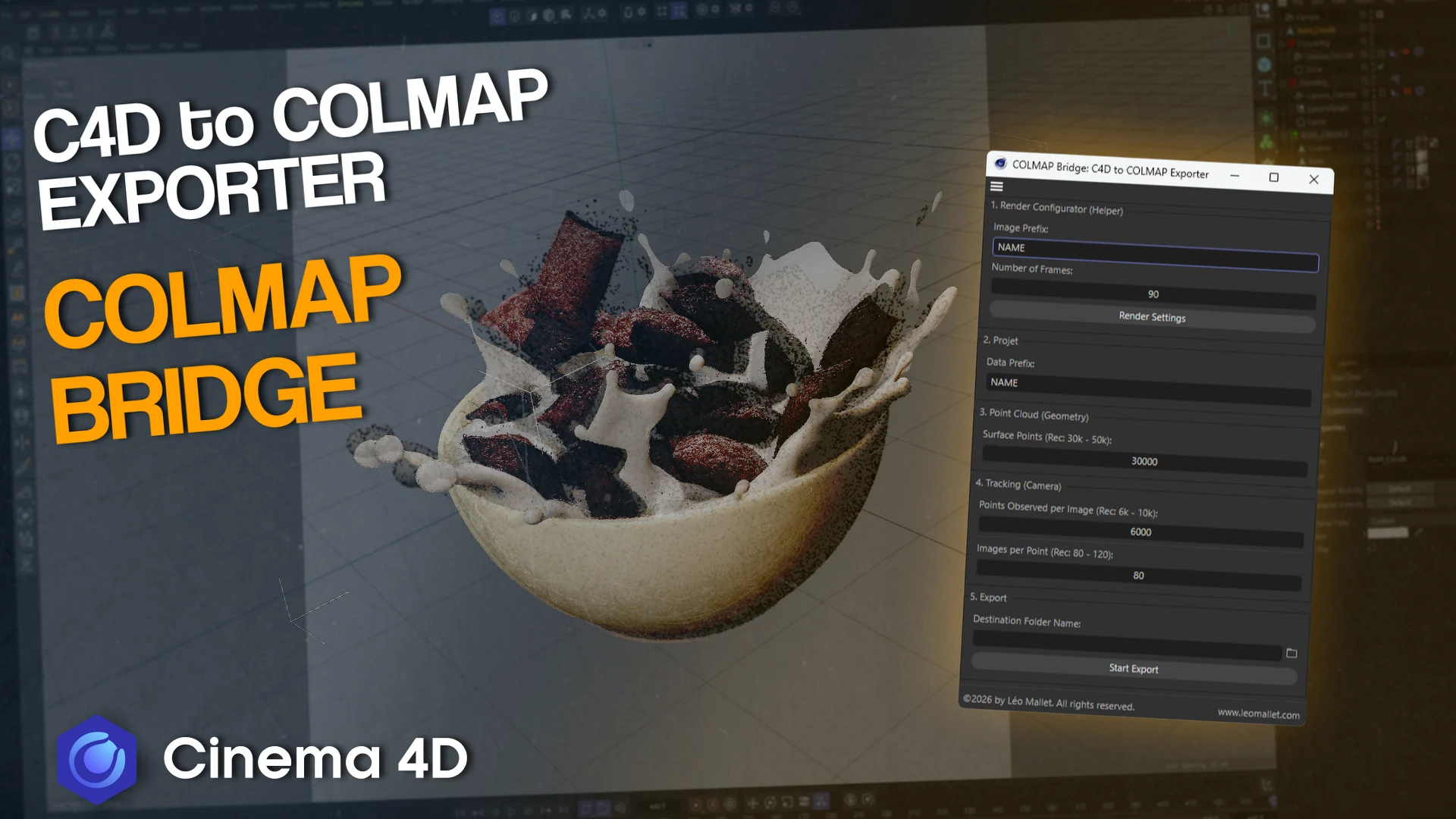
COLMAP’s sparse reconstruction format has become the lingua franca of the capture ecosystem. RealityCapture added COLMAP export in 1.5, Agisoft Metashape brought COLMAP export to its Standard license, and SplatKing exports native COLMAP data straight from LiDAR captures. Utilities like COLMAP Bridge and the C4D COLMAP converter carry the format into DCC tools. If a product advertises “COLMAP export,” it is advertising compatibility with the entire radiance field training ecosystem.
Incremental vs. global mapping: COLMAP and GLOMAP
COLMAP’s classic incremental mapper grows a reconstruction image by image, registering each new camera against what has already been solved — accurate, but increasingly slow on large captures. GLOMAP took a different approach: a global SfM method built on top of COLMAP that solves all camera poses at once, dramatically faster on big image sets. With COLMAP 4.0, GLOMAP was integrated directly into the main codebase as the global mapper, making global SfM a core reconstruction option rather than a separate companion project.
Recent releases
COLMAP 3.12
Added native sensor-rig support for multi-camera arrays and 360 panorama captures, built-in geo-referencing with latitude/longitude/UTM conversion for drone work, and faster minimal solvers with expanded Python bindings.
COLMAP 4.0
One of the largest updates in the project’s history: GLOMAP’s global SfM pipeline merged in, ALIKED and LightGlue learned matching added, bundle adjustment accelerated, image I/O rebuilt on OpenImageIO, plus model clustering for very large reconstructions, mesh simplification, and texture mapping.
COLMAP 4.1.0
Introduced Caspar, a GPU-accelerated bundle adjustment backend often one to two orders of magnitude faster than the Ceres CUDA solver on medium and large problems, alongside native spherical/equirectangular camera models that reconstruct 360 panoramic captures without rendering perspective views first.
COLMAP 4.2.0
Added multi-component global mapping, so a capture that does not resolve into a single connected component now reconstructs as several and merges, and LoMa learned feature matching alongside the existing ALIKED and LightGlue front end. Released September 1, 2026.
Getting started
COLMAP ships pre-built binaries for Windows, macOS, and Linux with both a GUI and a full command-line interface, and pycolmap exposes the pipeline to Python — the layer where most automated splatting pipelines orchestrate it. The source code lives on GitHub and the documentation covers the full pipeline. It runs CPU-only, though a CUDA GPU substantially accelerates matching, dense stereo, and — since 4.1.0 — bundle adjustment. COLMAP 4.2.0 added ROCm/HIP acceleration for PatchMatch dense stereo on supported AMD GPUs, as a build option exclusive of CUDA, and a browser based, local only viewer for sparse binary reconstructions. COLMAP also reaches the browser through third party tools such as OfflineTools and obraia's colmap-wasm, an unofficial BSD-3-Clause WebAssembly build of COLMAP 4.2.1 that runs SIFT extraction, geometric verification and the global mapper in Web Workers and matches SIFT features exactly on WebGPU.
Frequently Asked Questions
What is COLMAP used for?
COLMAP reconstructs camera poses and 3D geometry from overlapping photos. In radiance field workflows it is the standard preprocessing step: its camera poses and sparse point cloud are what Gaussian Splatting and NeRF trainers use to initialize and align a scene.
Is COLMAP free?
Yes. COLMAP is open source under a BSD license and free for commercial use.
Do I need COLMAP for Gaussian Splatting?
Most training pipelines need poses in COLMAP format, but you do not always run COLMAP by hand — tools like nerfstudio invoke it for you, and RealityCapture, Metashape, and SplatKing can export COLMAP-format data directly.
What is the difference between COLMAP and GLOMAP?
COLMAP’s classic mapper is incremental, registering images one at a time. GLOMAP is a global SfM method that solves all poses at once, which is much faster on large captures. Since COLMAP 4.0, GLOMAP is integrated into COLMAP as the global mapper.
Does COLMAP require a GPU?
No — it runs CPU-only. A CUDA GPU is recommended though: it accelerates feature matching and dense stereo, and version 4.1.0 added Caspar, a GPU bundle adjustment backend that is dramatically faster on large reconstructions. Since version 4.2.0 COLMAP's dense PatchMatch stereo can also be built with ROCm/HIP for supported AMD GPUs instead of CUDA.
Alternatives

Recent Headlines
colmap-wasm Runs COLMAP and GLOMAP in the Browser
Ahmad Emranian Releases Abu Align & Train
Gauss Cannon v1.3.0 Turns Blender Into a COLMAP Generator
Splatypus Brings Splat Training to Grasshopper
ColmapView v0.15 Publishes COLMAP and Gaussian Splat Projects to Hugging Face in One Click
CorbeauSplat v2.0.0 Ships Stable Version
Splatara Rebuilds SplataraScan's Desktop Pipeline on Spirula
Arcturus Vision Converts Steam Frame Captures to 3DGS
OfflineTools Runs COLMAP in the Browser, Beats Native SIFT
COLMAP 4.2.0 Adds Multi-Component Global Mapping and LoMa Learned Matching
Recent Job Openings